How to Build an AI Agent for Your Business in 2026
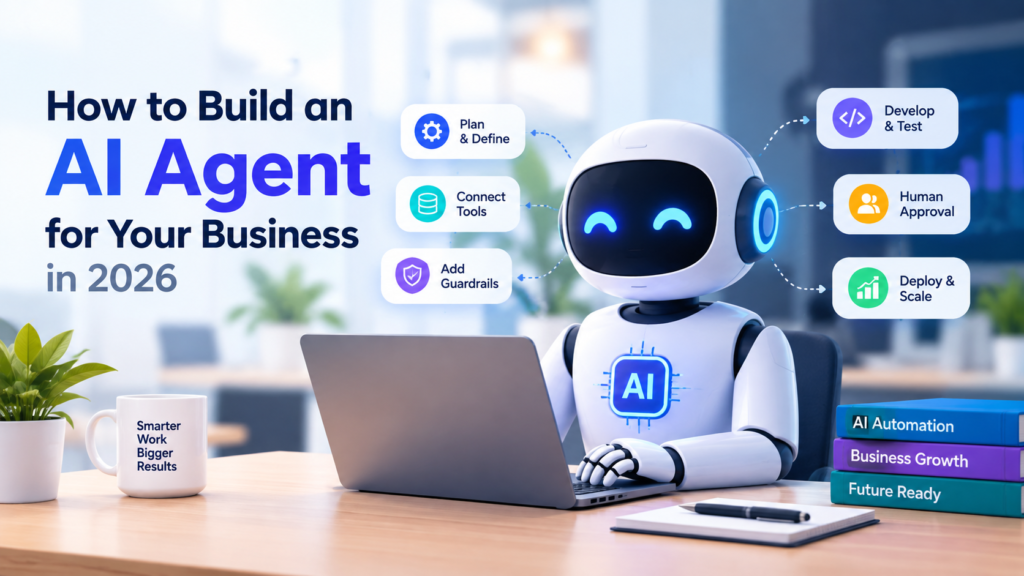
An AI agent is a software system that can use artificial intelligence to understand a goal, make decisions within a defined workflow, use connected tools, and complete tasks with varying levels of human involvement.
A traditional chatbot generally responds to a user’s question. An AI agent can go further by retrieving information, interacting with business systems, following instructions, and taking approved actions.
For example, a customer-support chatbot might answer a question about an order. An AI agent for business could receive the request, retrieve the customer’s order information, check the relevant company policy, prepare a response, and escalate the issue to a human when necessary.
The key difference is that an AI agent is designed around completing a task or workflow, rather than simply generating a response.
AI Agent vs. Traditional Chatbot
| Traditional Chatbot | AI Agent |
|---|---|
| Primarily answers questions | Can complete multi-step tasks |
| Usually conversation-focused | Workflow-focused |
| Limited system access | Can use approved business tools |
| Often provides information | Can retrieve information and take actions |
| Human completes many next steps | Agent can complete approved next steps |
Not every business needs an AI agent. If a simple chatbot, search system, or conventional automation can solve the problem, adding an agent may introduce unnecessary complexity.
Why Are Businesses Using AI Agents?
Businesses are increasingly exploring AI agents because many everyday workflows contain repetitive tasks that require employees to search for information, move data between systems, or follow predictable decision processes.
Potential AI agent use cases include:
- Customer support
- Sales qualification
- Internal research
- Report generation
- Document processing
- Scheduling
- Data analysis
- Knowledge management
- Software development
- Operations automation
The most promising starting point is usually not the most complicated process.
Instead, look for a workflow that is:
- Repetitive
- Clearly defined
- Measurable
- Supported by accessible information
- Low enough risk to test safely
The goal is not to automate everything. The goal is to identify where an AI agent can reliably create useful value.
How to Build an AI Agent for Your Business
Building an AI agent starts with the business problem, not the technology.
1. Choose One Specific Business Workflow
Start with one clearly defined task.
For example, instead of saying:
“We want AI to handle customer service.”
Define the workflow more precisely:
“We want an AI agent to classify incoming support requests, find relevant information, draft responses, and escalate complex cases.”
This gives the development team a measurable objective.
Define:
- The input
- The desired output
- Required information
- Available systems
- Decisions the agent must make
- Actions it can perform
- Situations requiring human approval
A narrow workflow makes AI agent implementation easier to test and improve.
2. Map the Existing Process
Before building the agent, document how employees currently complete the task.
For example:
Customer request → classify issue → retrieve information → check policy → prepare response → resolve or escalate
Mapping the process helps identify where AI can actually help.
Look for:
- Repetitive manual work
- Frequent information searches
- Multiple applications
- Routine decisions
- Data-entry tasks
- Bottlenecks
- Repeated customer questions
Do not automate a process simply because it exists. First determine whether the process is clear enough to automate.
3. Define the AI Agent’s Instructions
An AI agent needs clear instructions.
These instructions should establish its role, objective, boundaries, and expected behavior.
For example, an AI customer-support agent might be instructed to:
- Answer questions using approved company information
- Avoid inventing policies
- Ask for missing information
- Never expose confidential customer data
- Escalate sensitive cases
- Request approval before performing restricted actions
Good instructions should also define what the agent must not do.
This is especially important when an AI agent can interact with business systems.
4. Choose the Right AI Agent Tools
An AI agent becomes more useful when it can access the systems required to complete its workflow.
Depending on the business, AI agent tools may include:
- CRM systems
- Databases
- Knowledge bases
- Calendars
- Customer-support platforms
- Document repositories
- Internal APIs
- Search tools
- Analytics platforms
However, giving an agent more tools does not necessarily make it better.
Give the AI agent only the permissions and tools required for its job.
A support agent may need access to customer information and a knowledge base. It probably does not need access to financial systems or unrelated employee records.
5. Add AI Agent Guardrails
Guardrails are essential when an AI agent can take actions.
Consider the difference between these two tasks:
Low risk: Classify a support ticket.
Higher risk: Issue a customer refund.
The second action has greater consequences and therefore requires stronger controls.
Possible AI agent guardrails include:
- Permission limits
- Input validation
- Output validation
- Approved data sources
- Action restrictions
- Human approval
- Escalation rules
- Activity logging
- Monitoring
The more consequential the action, the more carefully it should be controlled.
6. Add Human-in-the-Loop Approval
AI agents do not have to operate completely independently.
A human-in-the-loop AI system can allow the agent to perform routine work while requiring human approval for sensitive actions.
For example:
AI agent: “I found that this customer appears eligible for a refund. Would you like me to process it?”
Human: Approves or rejects the action.
This approach can make agent deployment safer, especially during early implementation.
Human review can also help organizations discover unexpected failure modes before giving the AI agent greater authority.
7. Test the AI Agent With Realistic Scenarios
Testing should go beyond simple questions.
Create test cases for:
- Normal requests
- Ambiguous requests
- Missing information
- Incorrect information
- Unusual requests
- Conflicting instructions
- Unauthorized actions
- Sensitive information
- System failures
- Human escalation
Measure whether the agent:
- Understands the request
- Chooses the correct tool
- Retrieves appropriate information
- Produces an accurate result
- Follows permissions
- Avoids unsupported claims
- Escalates when necessary
This is where many AI agent development projects become practical rather than theoretical.
8. Measure Business Performance
Do not measure an AI agent only by how quickly it responds.
Useful metrics can include:
- Task completion rate
- Accuracy
- Escalation rate
- Error rate
- Customer satisfaction
- Employee time saved
- Cost per completed task
- Human intervention rate
- Failed tool calls
- Resolution time
Choose measurements that match the business objective.
For example, a customer-support agent might prioritize successful resolution and customer satisfaction, while an internal research agent might prioritize accuracy and time saved.
What Is an AI Agent Architecture?
A basic AI agent architecture can be understood as:
User request → AI model → instructions → tools → business systems → result
A more advanced workflow might look like:
Input → reasoning → information retrieval → tool use → validation → human approval → action → final response
The exact architecture depends on the task.
Some businesses may need a single AI agent. Others may eventually use multi-agent systems, where different agents specialize in different tasks.
Single AI Agent vs. Multi-Agent System
A single agent might handle an entire customer-support workflow.
A multi-agent system could divide responsibilities:
Manager Agent
↓
Research Agent
Support Agent
Sales Agent
Reporting Agent
Multi-agent systems can be useful when different tasks require different tools, instructions, or expertise.
However, they also increase complexity.
Before building multiple AI agents, determine whether one well-designed agent can complete the task.
Common AI Agent Mistakes Businesses Should Avoid
Giving the Agent Too Much Access
Avoid connecting an AI agent to every business system.
Use the minimum permissions necessary.
Automating a Broken Workflow
AI cannot automatically fix a process that nobody understands.
Map and simplify the workflow first.
Ignoring Human Oversight
High-impact actions should receive appropriate review.
Human oversight can be especially valuable during early deployment.
Measuring Only Productivity
Saving time is useful, but accuracy and quality matter too.
An AI agent that completes a task quickly but produces unreliable results may create more work rather than less.
Starting With a Huge Project
Do not begin by attempting to build an autonomous AI employee.
Start with one workflow, test it, measure it, and expand based on evidence.
When Should a Business Use an AI Agent?
An AI agent may be a good fit when a workflow involves:
- Repeated tasks
- Multiple steps
- Business rules
- Large amounts of information
- Multiple software tools
- Clear success criteria
- Opportunities for human escalation
An AI agent may not be the right choice when the workflow is extremely unpredictable, highly sensitive, poorly defined, or easily solved through simpler automation.
The right question is not:
“Can AI do this?”
It is:
“Can an AI agent do this reliably enough to create more value than the complexity and risk it introduces?”
The Future of Business AI Agents
The future of business AI agents is likely to involve increasingly capable systems that can coordinate information, tools, workflows, and human decisions.
But greater capability does not eliminate the need for governance.
Businesses will need to think carefully about:
- Permissions
- Privacy
- Security
- Monitoring
- Reliability
- Human accountability
- Data quality
- Evaluation
- Workflow design
The companies that benefit most may not be those that give AI the greatest freedom. They may be the ones that design the clearest boundaries around where AI can act independently and where people remain responsible.